 Windows 10 & 11 · Microsoft Store
GlidePromptThe teleprompter for Windows that floats over any app
Put your script right under your webcam and keep eye contact on video calls, presentations and recordings. It scrolls while you speak, waits when you pause, and your audience never sees it.
$9.99 one-time on the Microsoft Store. No subscription, no account, works offline.
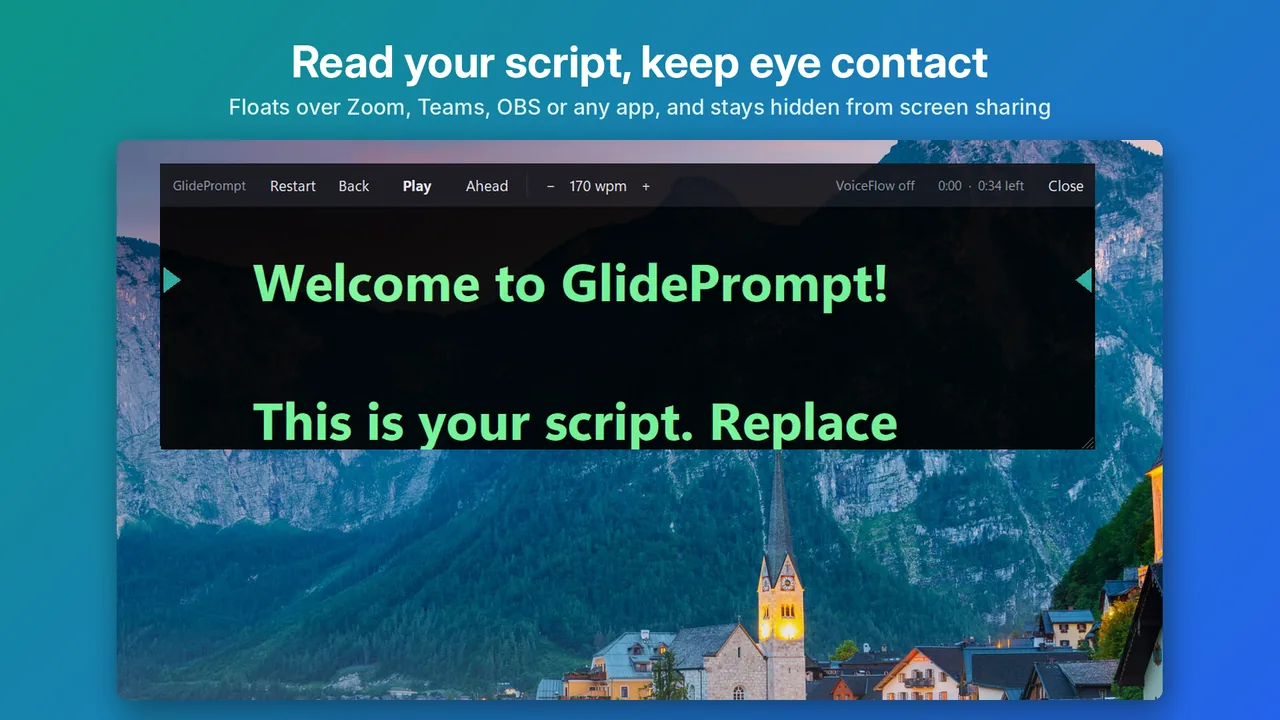
Read naturally. Look at the camera.
Made for Zoom, Microsoft Teams, Google Meet, OBS, PowerPoint and anything else you present or record with.
Floats over every app
The prompter stays above your call, slides or recorder. Place it under your webcam, centre it, go full screen, or drag and resize it.
Hidden from screen sharing
When you share your screen or record it, the prompter is left out, so only you see your notes. Needs Windows 10 version 2004 or later.
Scrolls while you speak
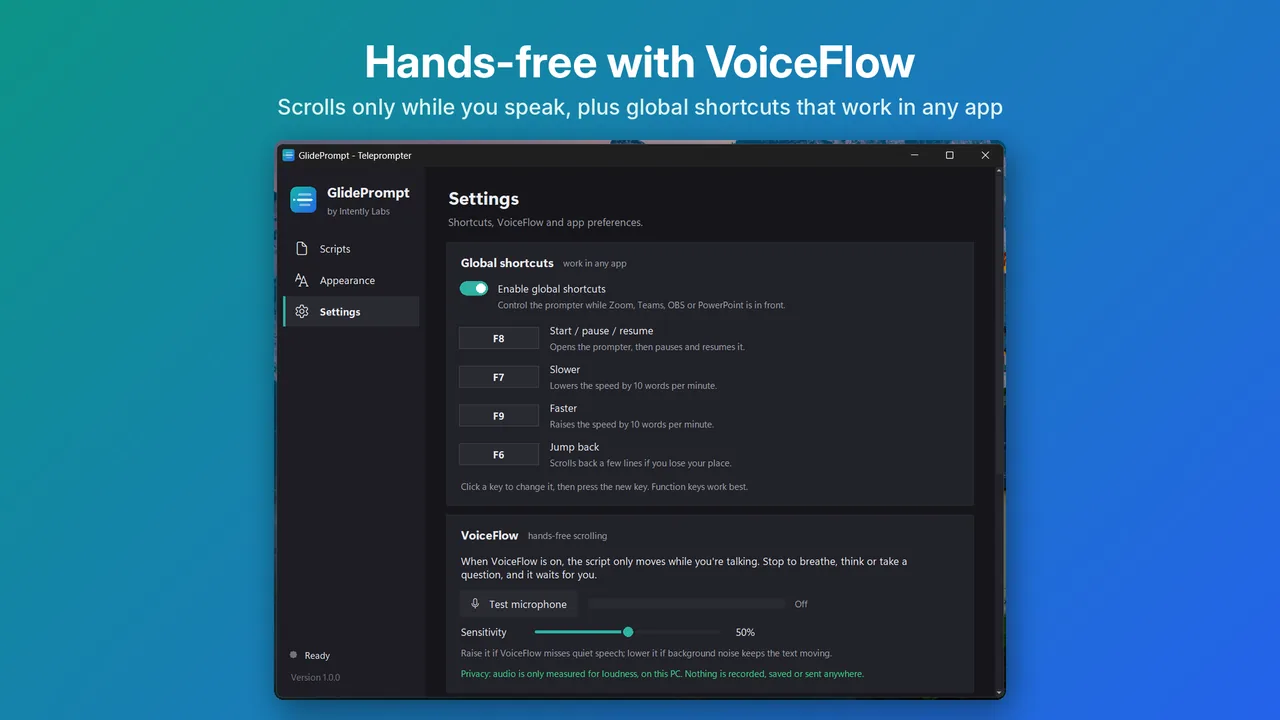
Turn on VoiceFlow and the text moves only while you're talking. Pause to breathe or take a question and it waits. Audio is never recorded.
Shortcuts from any app
F8 to start and pause, F7 and F9 for slower and faster, F6 to jump back, all while another app is in front.
Big, clear, adjustable text
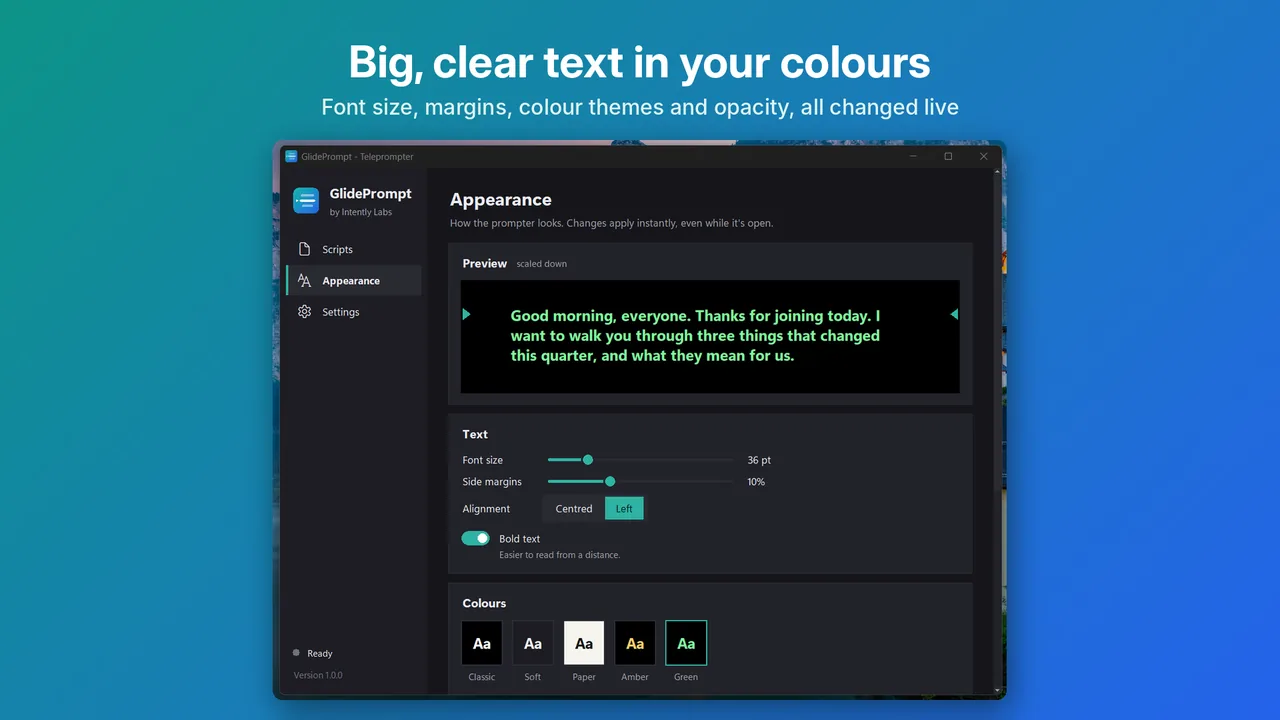
Font size, bold text, margins, opacity and five high-contrast colour themes, with eye-line arrows and a 3-2-1 countdown.
A library that saves itself
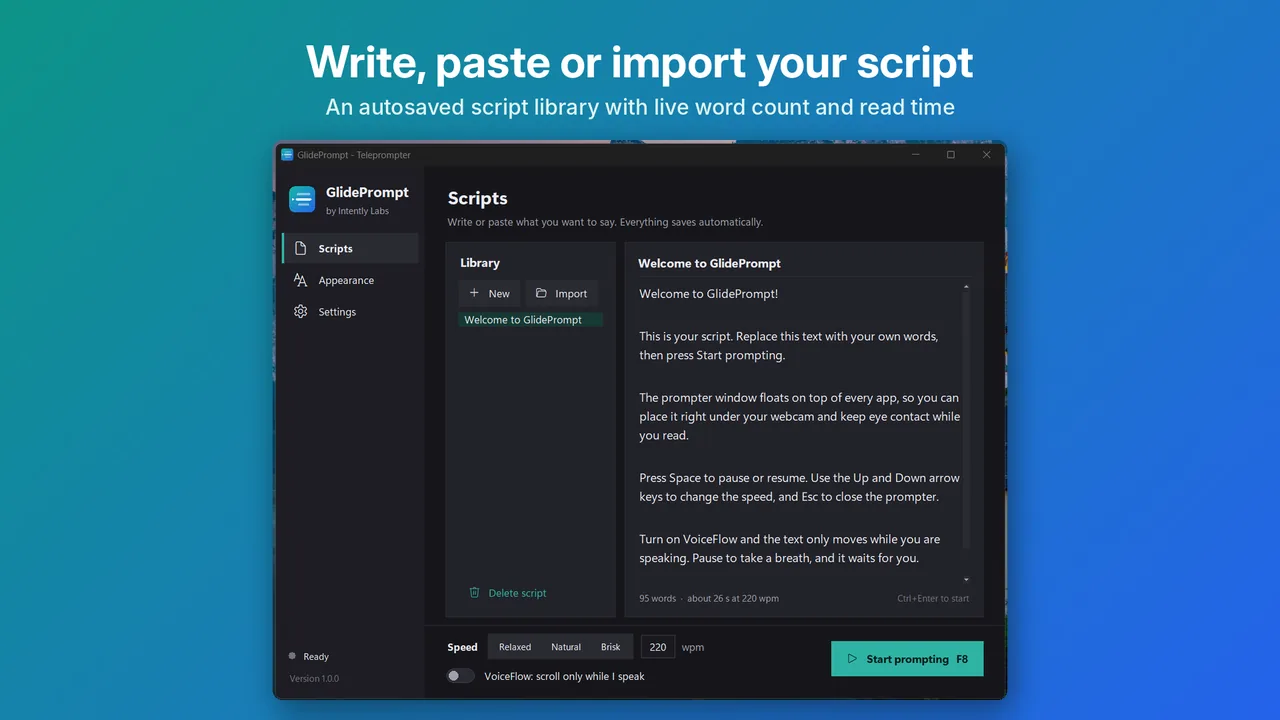
Write, paste or import a text file. See the word count and exact read time at your chosen words-per-minute speed.
See it in action
Real screens from the app.
How it works
Install from the Microsoft Store
One click to install, and Windows keeps it updated. No account needed.
Paste your script
Write or paste what you want to say, or import a text file. Pick a speed in words per minute.
Start prompting
Press F8 or click Start prompting. After a 3-2-1 countdown the text glides up, or follows your voice with VoiceFlow.
Who uses a teleprompter on Windows?
Anyone who wants to sound prepared on camera without memorising every word.
- Video calls and webinars: keep your talking points under the webcam during Zoom, Teams or Meet presentations.
- YouTube, courses and tutorials: read your script while OBS or another recorder captures your webcam.
- Sales demos and pitches: hit every point in order without looking down at notes.
- Video job interviews and applications: keep a few key notes in view and stay natural.
GlidePrompt compared with a browser teleprompter
| Browser teleprompter | GlidePrompt | |
|---|---|---|
| Stays on top of your call | No, it's a browser tab | Yes, floats over every app |
| Visible when you share your screen | Yes | No, hidden from screen sharing and recordings |
| Control while another app is in front | No | Global shortcuts F6 to F9 |
| Follows your voice | Sometimes, often online | VoiceFlow, fully offline |
| Where scripts are stored | Often in the cloud | Only on your PC |
Tips for reading naturally
- Place the prompter as close under the webcam as you can, and keep it fairly narrow so your eyes don't sweep side to side.
- Start around 130 to 150 words per minute, which is a relaxed speaking pace, and adjust with F7 and F9.
- Turn on VoiceFlow for presentations with questions or pauses, so the text never runs ahead of you.
One price. No subscription.
Buy GlidePrompt once on the Microsoft Store and use it for as long as you like. The Store handles payment, installs and updates.
- Floating prompter that stays on top of any app
- Hidden from screen sharing and recordings
- VoiceFlow voice-paced scrolling, fully offline
- Global shortcuts, colour themes and script library
- Email support at [email protected]

Price in USD. The Microsoft Store shows the price in your local currency and runs occasional sales.
Questions
Can people on my Zoom or Teams call see the teleprompter?
No, if you share your screen with "Hide from screen sharing and recordings" turned on (it is on by default). GlidePrompt asks Windows to leave the prompter out of screen shares, screenshots and recordings, so only you see it. This needs Windows 10 version 2004 or later.
How does VoiceFlow know when I'm speaking?
It measures how loud your microphone is, many times per second, and scrolls while the level is above your background noise. When you pause, the text waits. Nothing is recorded, transcribed or sent anywhere. See the privacy policy.
Where should I put the prompter?
Right under your webcam, so your eyes stay close to the lens. GlidePrompt opens there by default, and eye-line arrows mark the line to read. You can also centre it, go full screen, or drag and resize it anywhere.
Can I control it while another app is in front?
Yes. Global shortcuts work from any app: F8 starts, pauses and resumes, F7 and F9 change the speed, and F6 jumps back a few lines. You can change the keys in Settings.
Does it work with OBS and recording software?
Yes. GlidePrompt is a separate window that stays on top, so you can read while OBS, Camtasia, the Windows Camera app or any recorder captures your webcam.
Is there a subscription?
No. GlidePrompt is a one-time purchase on the Microsoft Store. It has no account, no ads and works offline.
Where are my scripts stored?
Only on your PC. GlidePrompt saves your script library automatically as you type, and you can import text files.