 Windows 10 & 11 · Microsoft Store
ClickLoopThe friendly auto clicker & macro recorder for Windows
Let ClickLoop do the repetitive clicking and typing. Click at your cursor, one spot or a whole sequence of spots, press or hold any key, and record macros you can replay on a loop.
$4.99 one-time on the Microsoft Store. No subscription, no ads, no account.
Simple to start. Smarter than most auto clickers.
Three tools in one app: an auto clicker, a key presser and a macro recorder, with safety features that keep you in control.
One spot or a whole sequence
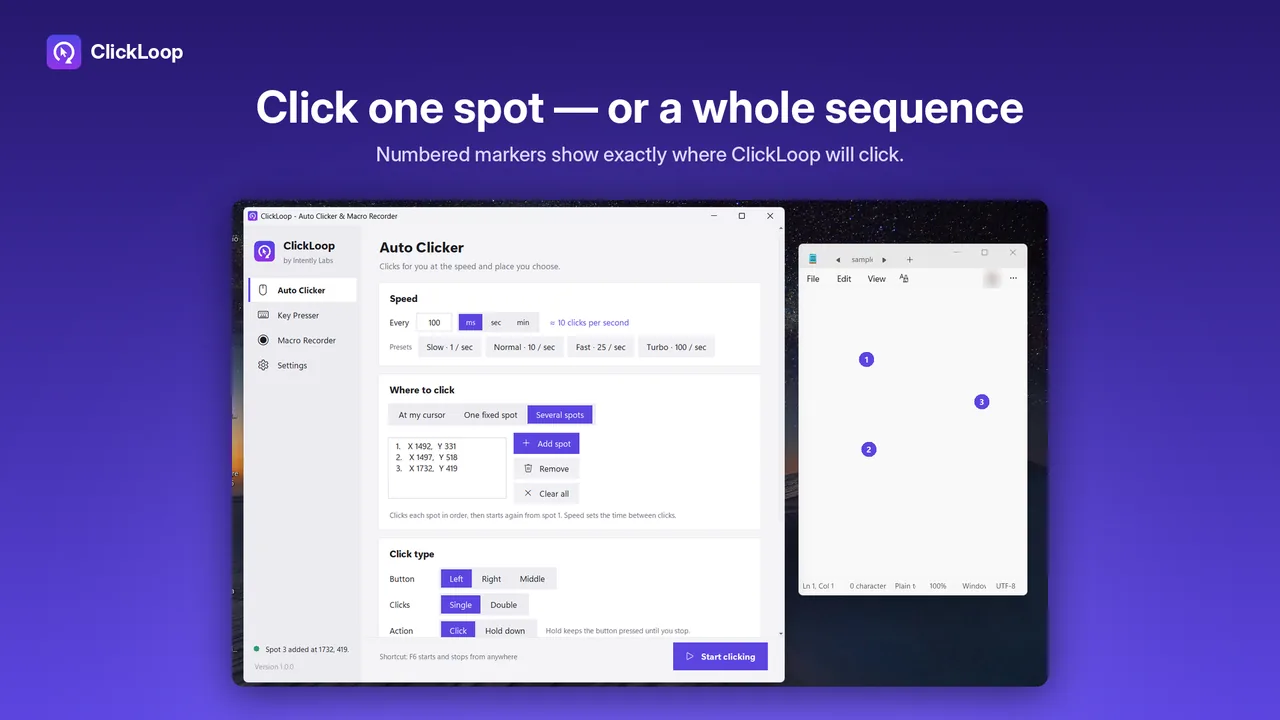
Click at your cursor, at one fixed spot, or at several spots in order. Numbered markers show exactly where each click will land.
Any speed, in plain words
From one click every few minutes to one every millisecond, with Slow, Normal, Fast and Turbo presets. Left, right or middle; single, double or hold.
Natural mode
Add random timing and small random position offsets so clicks don't land at exactly the same moment and pixel every time.
Press or hold any key
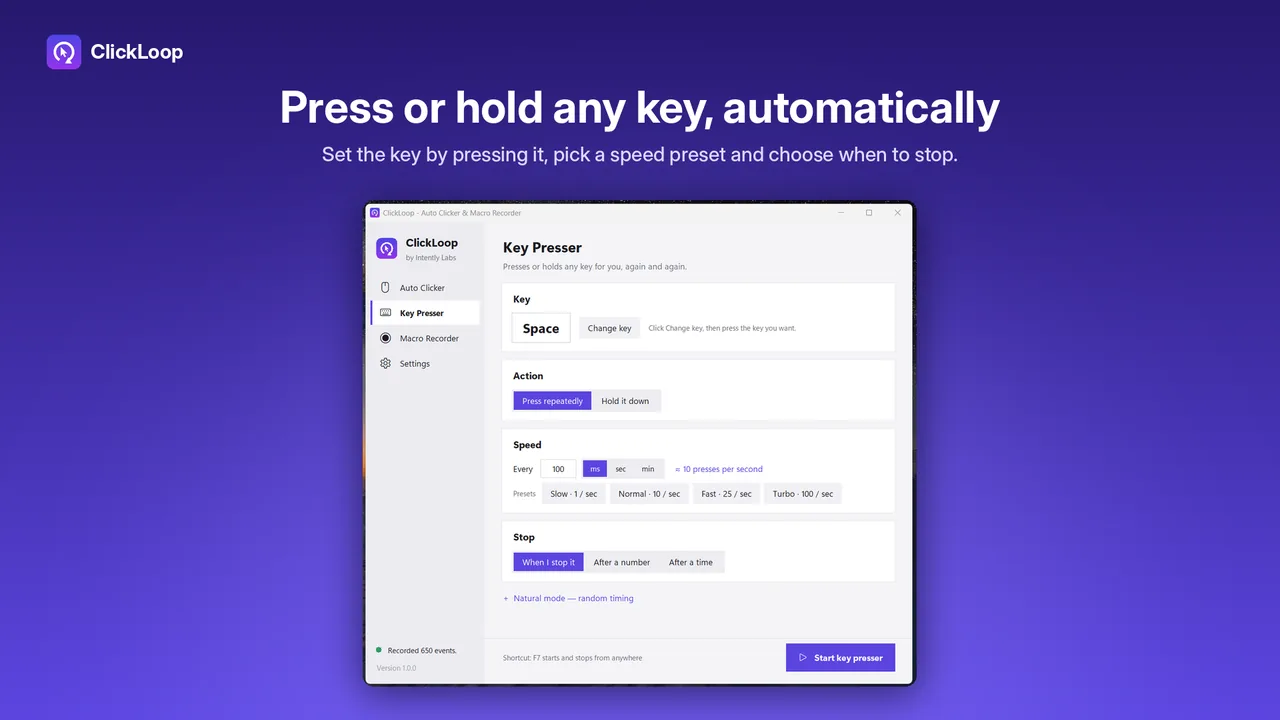
Set the key by simply pressing it, choose how often, and stop it yourself, after a number of presses or after a set time.
Record once, replay any time
Record mouse movement, clicks, scrolling and keystrokes. Replay once, several times or until you stop, at 0.5× to 8× speed, and skip long pauses.
Mini bar and emergency stop
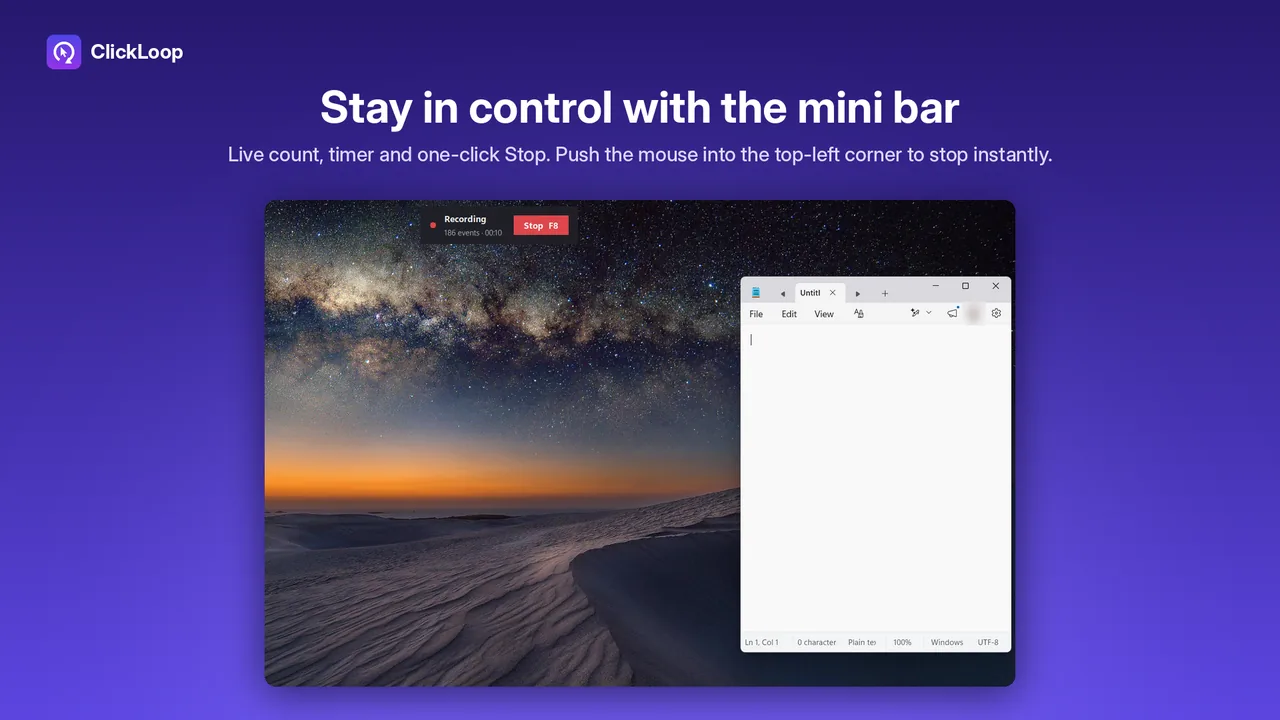
A floating bar shows the live count with a Stop button. Push the mouse into the top-left corner to stop everything instantly.
See it in action
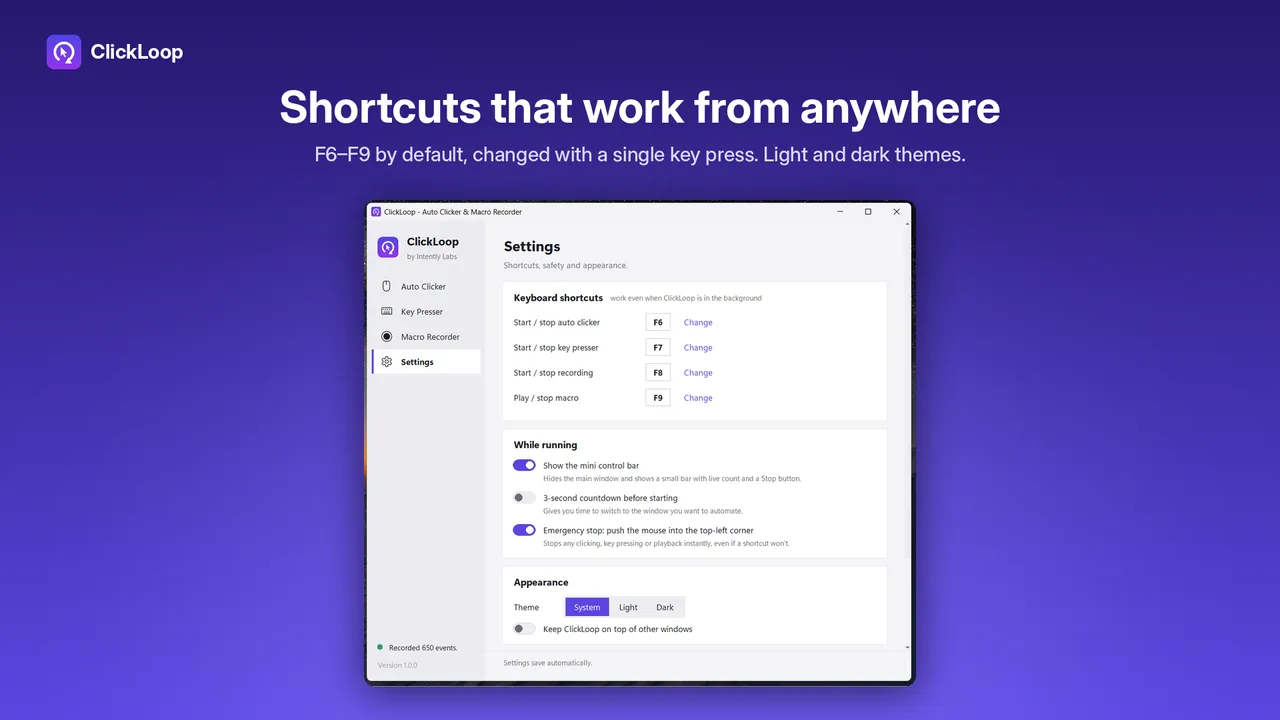
Real screens from the app, in light and dark themes.
How it works
Install from the Microsoft Store
One click to install, and Windows keeps it updated. No account needed.
Choose what to automate
Pick the speed and where to click, the key to press, or record a macro by doing the task once.
Start and stop with one key
Press F6 for the clicker, F7 for the key presser, F8 to record and F9 to play, even while another app is in front.
What people use an auto clicker for
Any task where you click or press the same thing again and again.
- Data entry and forms: repeat the same clicks and keystrokes for each row or record.
- Office and web apps: clear long lists, step through pages, or refresh a page on a timer.
- Software testing: replay the same steps reliably while you watch for problems.
- Accessibility: take repeated clicking off hands and wrists that find it painful.
How ClickLoop compares with a basic free auto clicker
| Basic auto clicker | ClickLoop | |
|---|---|---|
| Where it clicks | Cursor or one spot | Cursor, one spot, or a sequence of spots with on-screen markers |
| Key presses and macros | Usually separate apps | Key presser and macro recorder built in |
| Staying in control | A hotkey | Hotkeys, a floating Stop bar and an emergency corner stop |
| Natural timing | Rarely | Random timing and position offsets |
| Ads and accounts | Often | None. Works offline |
One price. Yours to keep.
Buy ClickLoop once on the Microsoft Store and use it for as long as you like. The Store handles payment, installs and updates.
- Auto clicker, key presser and macro recorder
- Multi-spot sequences, natural mode and speed presets
- Mini control bar and emergency corner stop
- Light and dark themes, global shortcuts
- Email support at [email protected]

Price in USD. The Microsoft Store shows the price in your local currency and runs occasional sales.
Questions
What is an auto clicker?
An auto clicker is a small app that clicks the mouse for you, over and over, at the speed and place you choose. ClickLoop can click at your cursor, at one fixed spot, or at a sequence of spots, and it also presses keys and replays recorded macros.
How do I stop ClickLoop if something goes wrong?
Press the same shortcut again (F6 for the auto clicker by default), click Stop on the floating mini bar, or push the mouse into the top-left corner of the screen. The corner stop works even if a shortcut doesn't, and stopping always releases any held keys or buttons.
How fast can ClickLoop click?
From one click every few minutes up to one click every millisecond. One-tap presets cover Slow (1 per second), Normal (10 per second), Fast (25 per second) and Turbo (100 per second), and ClickLoop shows your speed in plain words.
Can it click several places in order?
Yes. Choose Several spots, click Add spot and pick points anywhere on the screen. Numbered markers show exactly where ClickLoop will click, and it clicks them in order, then starts again from the first.
Does the macro recorder record my keystrokes all the time?
No. ClickLoop only records while you have started a recording. At other times it only listens for the shortcut keys you assigned. Recordings stay on your PC. See the privacy policy.
Why doesn't it click inside some apps?
Windows doesn't let a normal app send clicks into an app that runs as administrator. If you need to automate one, run ClickLoop as administrator too.
Is there a subscription?
No. ClickLoop is a one-time purchase on the Microsoft Store. It has no ads, no account and works offline.
Can I use it in games?
ClickLoop is made for everyday Windows work. Some online games and services forbid automation tools, so check their rules before using any auto clicker with them.